
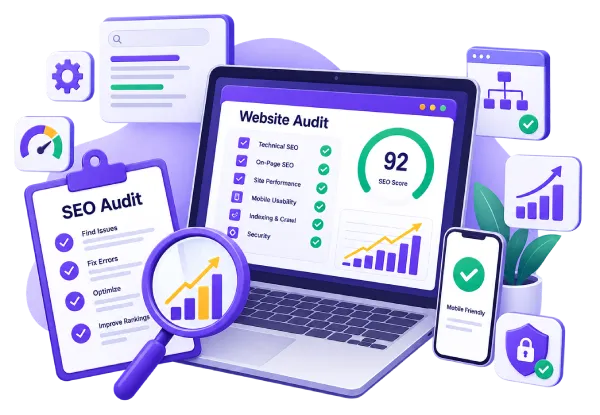
A website SEO audit should tell you something you didn't already know — not just confirm what a crawler tool already flagged. In 15+ years of working inside WordPress sites, from small business blogs to enterprise-scale client websites, I've found the real issues are usually buried: a crawl budget quietly drained by duplicate CSS files, pages stuck in "Discovered — currently not indexed," Core Web Vitals failing on mobile with no one the wiser. These are the kinds of problems that rarely surface unless someone goes looking for them specifically.
A website SEO audit is how you find those issues before they cost you another quarter of traffic.
What's Included in This Audit
Crawlability & Indexing Check
I go through Google Search Console coverage reports to find pages that are excluded, not indexed, or being crawled inefficiently. This includes checking crawl budget waste — cache plugin conflicts, redirect chains, and duplicate parameter URLs are common culprits I look for specifically.
Core Web Vitals & Site Speed Diagnosis
I review your LCP, INP, and CLS scores on both mobile and desktop, and identify what's actually causing the slowdown — render-blocking CSS, unoptimized images, plugin bloat, or hosting limitations.
On-Page SEO Review
Title tags, meta descriptions, heading structure, internal linking patterns, and image SEO (alt text, file naming, compression) are reviewed against what's currently ranking for your target terms.
Technical Health Check
This covers schema markup implementation, redirect setup, mobile usability, XML sitemap accuracy, and structured data errors that could be limiting how Google understands and displays your pages.
Prioritized Action Plan
The audit itself isn't the deliverable — the report is. You get a clear, prioritized list of what to fix first, why it matters, and what impact you can expect, written in plain language, not a wall of jargon.
How the Process Works
01
Request
You share your site URL and access to Google Search Console (or I help you set it up if you don't have it yet).
02
Audit
I go through crawl data, site structure, and performance metrics using the checklist above.
03
Report
You receive a written report with findings organized by priority — critical, important, and nice-to-have.
04
Walkthrough
We go over the findings together on a call, so you're not left interpreting the report alone.
A Real Example
On a recent client site, I found that a Divi and WP Rocket configuration conflict — both Static CSS File Generation and inline stylesheet settings enabled at the same time — was causing CSS files to regenerate with a new version timestamp on every page load. Googlebot was spending close to 40% of its crawl budget re-crawling these constantly changing files instead of the actual content pages. Disabling the conflicting setting and clearing the cache stopped the churn immediately. This is exactly the kind of issue that doesn't show up unless someone is specifically looking for it in the crawl stats.
Who This Is For
This audit is a good fit if you run a WordPress site and traffic has plateaued, dropped after a Google update, or never took off the way you expected — and you want to know exactly why before spending more on content or ads.
It's probably not the right fit if you're looking for a one-time keyword list with no technical review, or if your site isn't on WordPress, since some of the diagnostic steps are WordPress-specific.
Get Your Website Audited
Send me your website URL and I'll take a first look before we talk pricing or scope, so you know upfront whether this is worth doing.
Frequently Asked Questions
How long does an SEO audit take?
Most audits take 5 to 7 business days, depending on site size and how much historical data is available in Search Console.
Do you fix the issues you find, or just report them?
Both options are available. Some clients want the report and implement fixes with their own team; others prefer I handle the implementation directly. We can discuss this based on what you need.
Is this audit only for WordPress websites?
My audits are built around WordPress-specific issues — plugin conflicts, theme performance, caching setups — so they're most effective on WordPress sites. If your site is on a different platform, some sections of the audit (crawlability, Core Web Vitals, on-page SEO) still apply, but the technical recommendations will be more general.
Will I get a written report I can keep?
Yes. You receive a written report with prioritized findings, plus a walkthrough call to go over anything that needs more context.