
This post contains affiliate links. If you purchase through my link, I earn a small commission at no extra cost to you.
Best WordPress hosting for beginners isn’t always easy to figure out, especially if this is your first time building a WordPress website. Many beginners rush through this step, only to face problems later — slow loading speeds, confusing dashboards, unexpected renewal charges, or poor customer support.
The good news is that you don’t need technical knowledge to make the right choice. Today, many hosting providers are built specifically for beginners, offering one-click WordPress installation, free domains, and guided setup that removes most of the complexity.
In this guide, you’ll learn what WordPress hosting actually is, how hosting and domains work together, how much it costs in 2026, and which hosting providers are best for beginners — including an honest look at their dashboards and real renewal pricing. By the end, you’ll know exactly what to choose — and what to avoid — before moving on to installing WordPress.
This article is part of my beginner series on WordPress and complements my main guide on how to launch your first WordPress website.
My Top Pick for Beginners: Hostinger WordPress Hosting
Starts at ~$2.99/mo · Free domain · hPanel (easiest dashboard) · 30-day money-back guarantee
Get Started with Hostinger (20% Off)
*Discount applies on first purchase of 12-month plan or longer.
What Is WordPress Hosting?
Web hosting is what makes your website visible on the internet. Without hosting, your website files would exist only on your computer and no one else would be able to access them.
WordPress hosting is a type of hosting optimized specifically for WordPress websites. It’s designed to run WordPress faster, more securely, and with fewer technical issues—making it ideal for beginners.
Most WordPress hosting plans include:
- One-click WordPress installation
- Automatic updates
- Built-in security features
- WordPress-friendly customer support
For first-time website owners, this means less troubleshooting and more focus on creating content.
Types of WordPress Hosting — What Beginners Need to Know
Before comparing providers, it helps to know the three main types of hosting you’ll come across:
- Shared hosting — your website shares a server with hundreds of other sites. It’s the most affordable option and perfectly adequate for a new blog or small business site. All three hosts in this guide offer shared WordPress hosting.
- Managed WordPress hosting — the hosting company handles technical tasks like updates, backups, and security for you. It costs more but requires less from you. SiteGround’s plans lean toward this experience. Providers like WP Engine and Kinsta are fully managed but are priced for established sites, not beginners.
- Cloud/VPS hosting — more resources, more control, more expensive. Not necessary until your site grows significantly.
For most beginners: start with shared WordPress hosting. You can always upgrade later.
Hosting vs Domain: What’s the Difference?
This is one of the most common points of confusion for beginners.
A domain name is your website’s address (for example, yourwebsite.com). Hosting is the space where your website’s files, images, and content are stored.
A simple way to think about it:
- Domain = your home’s address
- Hosting = the house itself
You need both to launch a WordPress website. Most beginners choose to buy hosting and a domain from the same provider because it simplifies setup and avoids technical issues like DNS configuration.
How Much Does WordPress Hosting Cost in 2026?
Starting a WordPress website is still very affordable in 2026.
For beginners, typical costs look like this:
- Hosting: ₹150–₹400 per month (introductory/promotional pricing)
- Domain: Free for the first year with most hosts
- SSL certificate: Usually included for free
One thing every beginner must check: renewal pricing. Hosting plans almost always start cheap and increase significantly after the first term. Choosing a reliable WordPress hosting provider with transparent pricing can save money and frustration later.
Here’s what that looks like for the three hosts in this guide:
| Host | Intro Price (approx.) | Renewal Price (approx.) |
|---|---|---|
| Hostinger | $2.99/mo | $6.99–$8.99/mo |
| Bluehost | $2.95/mo | $8.99/mo |
| SiteGround | $2.99/mo | $17.99/mo |
SiteGround’s renewal jump is significant — worth factoring in before you commit. Hostinger has the most consistent long-term pricing of the three.
What Should Beginners Actually Look for in a WordPress Host?
Most hosting comparison articles focus on specs. But when you’re building your first website, here’s what actually matters:
- Easy setup — can you go from signup to a live WordPress site in under 15 minutes?
- A dashboard you can understand — not 80 icons and technical jargon, but clear navigation you can use without a tutorial
- Responsive support — when something breaks (and it will), can you get help quickly from someone who knows WordPress?
- Honest pricing — clear about what you pay now and what you pay at renewal
- Room to grow — straightforward upgrade path as your site gets bigger
What beginners don’t need on day one: SSH access, WP-CLI, Git integration, or staging environments. These are useful later — not essential at the start.
Best WordPress Hosting Options for Beginners (2026)
There’s no single “best” hosting provider for everyone. The right choice depends on your budget, comfort level with technology, and long-term goals.
Based on ease of use, dashboard simplicity, pricing, and real-world support quality, here are the three hosts I recommend for beginners — in order of overall value for first-time WordPress users.
1. Hostinger — Best Value for Beginners
Hostinger has quickly become one of the most recommended WordPress hosts for beginners globally — and it’s officially recommended by WordPress.org. I currently host my own website on Hostinger, which makes this more than a spec-sheet recommendation.
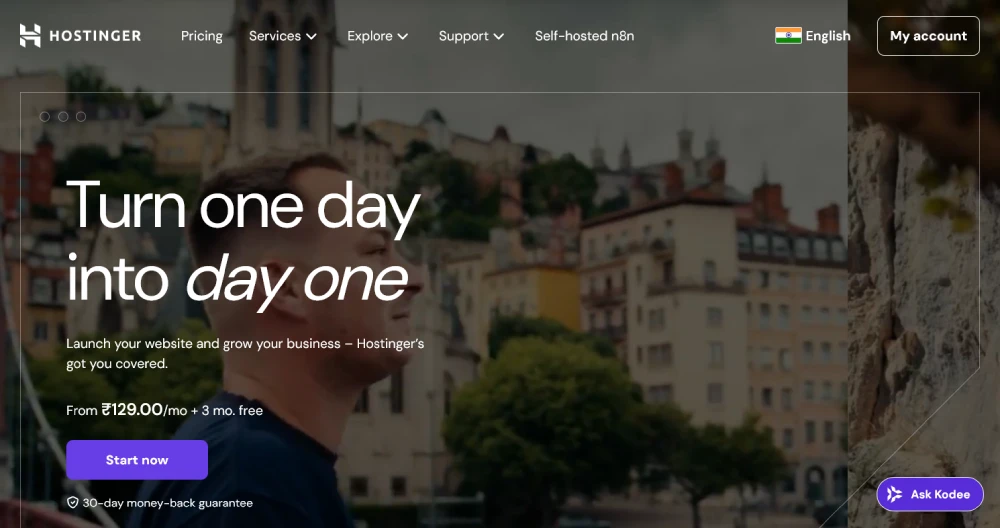
Why beginners choose Hostinger:
- Low starting prices with the most stable renewal rates of the three
- hPanel — a clean, custom dashboard built for non-technical users (more on this below)
- LiteSpeed servers for good speed out of the box
- Free domain for the first year
- One-click WordPress installation
- 24/7 live chat support
- 30-day money-back guarantee
Pricing: Introductory rate: ~$2.99/month. Renewal: ~$6.99–$8.99/month depending on plan. Free domain included for the first year.
Dashboard: hPanel
Unlike traditional cPanel — which can show 50+ icons at once — hPanel uses a clean sidebar layout. WordPress installation, file manager, email, and domains are all accessible in two clicks or fewer. It’s the most beginner-friendly panel of the three hosts in this guide. For a detailed walkthrough of hPanel and everything Hostinger offers, see my full Hostinger WordPress Hosting Review.
Best for: Beginners who want the best balance of price, ease, and performance.
Things to note: Phone support is not available — live chat only. Daily backups are not included on the Starter plan (weekly only).
Get started with Hostinger
Starts at ~$2.99/mo · Free domain · hPanel dashboard · 30-day money-back guarantee
Start with Hostinger — 20% Off
*Discount applies on first purchase of 12-month plan or longer.
2. Bluehost — Best for Absolute Beginners
Bluehost is one of the most well-known WordPress hosts and has been officially recommended by WordPress.org since 2005. I also manage client websites hosted on Bluehost, so it’s a platform I work with regularly. Its guided onboarding and one-click WordPress installation make it particularly forgiving for first-time users.
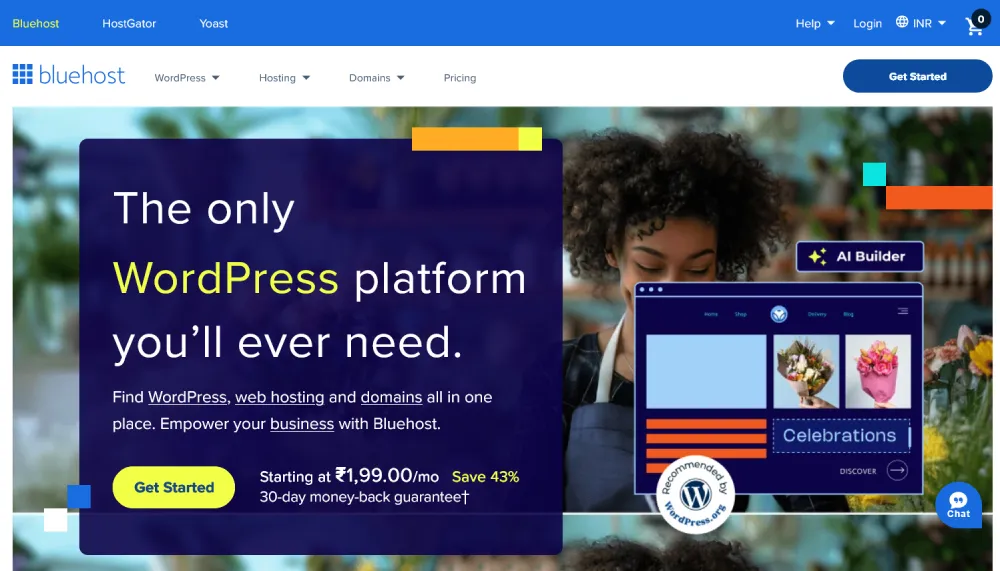
Why beginners choose Bluehost:
- Free domain for the first year
- One-click WordPress installation
- WordPress.org official recommendation — a trust signal for first-timers
- 24/7 customer support including phone
- Guided “WonderSuite” onboarding that sets up WordPress with relevant plugins pre-loaded
Pricing: Introductory rate: ~$2.95/month. Renewal: ~$8.99/month.
Dashboard: Custom (cPanel-based)
Bluehost recently moved to a custom dashboard from traditional cPanel. It’s cleaner than the old version, though you may notice more promotional notifications and upsell prompts than on hPanel. Still manageable for beginners.
Best for: People launching their first website who value phone support and the WordPress.org endorsement.
Things to note: Renewal prices are higher after the initial term. Dashboard has more upsell prompts than competitors.
SiteGround — Best for Support & Reliability
SiteGround consistently earns the highest support ratings in independent tests — and its performance on Google Cloud infrastructure is excellent. It’s slightly more expensive to renew than the other two, but beginners who want the best safety net when things go wrong often find SiteGround worth the extra cost.
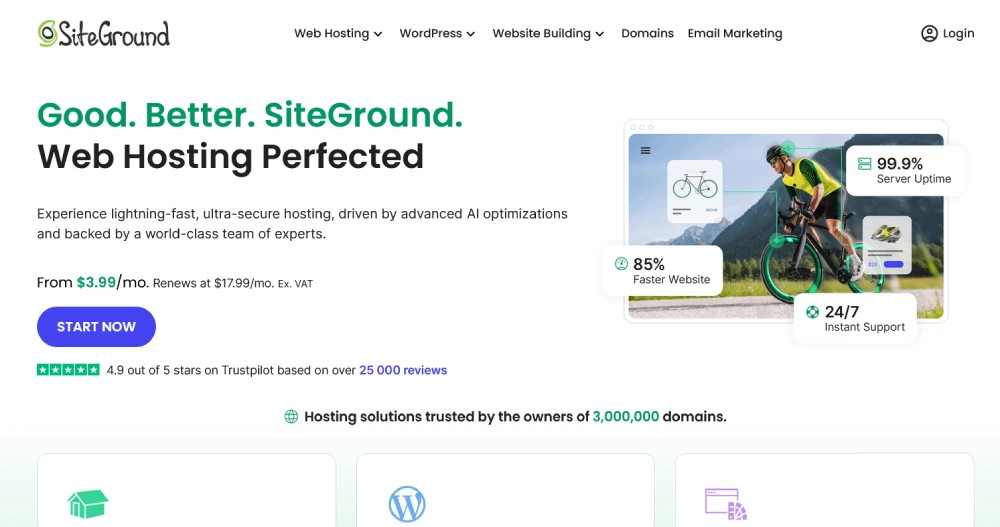
Why SiteGround stands out:
- Excellent technical support — consistently rated fastest response times
- Site Tools dashboard — SiteGround’s custom panel, clean and logically organised
- Free daily backups with one-click restore (on GrowBig plan and above)
- CDN included on all plans
- WordPress Starter wizard guides you through theme and plugin setup
Pricing: Introductory rate: ~$2.99/month. Renewal: ~$17.99/month (the steepest renewal increase of the three — check this before committing).
Dashboard: Site Tools
SiteGround replaced cPanel with their own Site Tools panel. It’s well-organized and intuitive, though it has more options than a complete beginner will need on day one. The support team is available to walk you through anything unfamiliar.
Best for: Beginners who prioritize support quality and don’t mind paying more at renewal for a premium experience.
Things to note: No free domain. Renewal pricing is significantly higher than Hostinger or Bluehost.
WordPress Hosting Comparison for Beginners (2026)
Here’s a quick comparison of beginner-friendly WordPress hosting providers based on ease of use, performance, and support.
| Feature | Hostinger | Bluehost | SiteGround |
|---|---|---|---|
| Intro price (approx.) | $2.99/mo | $2.95/mo | $2.99/mo |
| Renewal price (approx.) | $6.99–8.99/mo | $8.99/mo | $17.99/mo |
| Free domain (1st year) | Yes | Yes | No |
| One-click WP install | Yes | Yes | Yes |
| Dashboard | hPanel (easiest) | Custom (clean) | Site Tools (feature-rich) |
| Dashboard difficulty | Very Easy | Easy | Easy–Moderate |
| Speed | Good (LiteSpeed) | Good | Excellent (Google Cloud) |
| Free daily backups | No (weekly on Starter) | No | Yes (GrowBig+) |
| Support channels | Live chat | Live chat + phone | Live chat + phone + tickets |
| Support quality | Good | Good | Excellent |
| WordPress.org recommended | Yes | Yes | No |
| Money-back guarantee | 30 days | 30 days | 30 days |
Prices are promotional/introductory rates and vary by term length and region. Always verify on the provider’s current pricing page.
If you’re comparing options for best WordPress hosting for beginners, focus on ease of use, support quality, and long-term pricing rather than just the cheapest plan.
Once you’ve purchased your hosting and domain, the next step is installing WordPress on your hosting account. Follow this step-by-step WordPress installation guide for beginners to get your site up and running.
One-Click WordPress Installation Explained
One of the biggest advantages of beginner-friendly hosting is one-click WordPress installation.
This feature allows you to install WordPress without manually uploading files or creating databases. Everything is handled automatically through your hosting dashboard—usually in just a few minutes.
For beginners, this is the safest and fastest way to get started. Once installed, you can log in to your WordPress dashboard immediately and begin setting up your site.
If one-click installation isn’t available, WordPress can also be installed manually. That method is better suited for advanced beginners and is covered separately.
Should You Buy Hosting and Domain Together?
For most beginners, the answer is yes.
Buying hosting and domain together:
- Saves time
- Reduces technical confusion
- Makes setup smoother
You can always move your domain or hosting later as your website grows. When starting out, simplicity matters more than flexibility.
Common Hosting Mistakes Beginners Should Avoid
Many beginners make hosting decisions based on price alone, which often leads to problems later.
Avoid these common mistakes:
- Using free hosting for serious websites
- Ignoring customer support quality
- Not checking renewal prices (expanded below)
- Buying advanced plans you don’t need yet
On renewal pricing: the biggest surprise for beginners is not the introductory price — it’s what they pay in year two. Always scroll to the checkout page and look for the “renewal rate” before entering your card details. Of the three hosts in this guide, Hostinger has the gentlest renewal increase. SiteGround’s renewal jump (from $2.99 to $17.99) is the sharpest, though many users find the support quality justifies it once their site is established.
Your hosting affects your website’s speed, SEO, security, and user experience, so it’s worth choosing carefully.
Good hosting is the foundation everything else builds on — once it’s sorted, see my guide on how to drive traffic to your website for the full picture.
Quick Hosting Checklist for Beginners
Before finalizing your hosting provider, make sure it offers:
- WordPress-optimized hosting
- Free SSL certificate
- One-click WordPress installation
- Reliable customer support
- Easy upgrade options
If these boxes are checked, you’re on the right track.
Frequently Asked Questions
Which WordPress hosting has the most beginner-friendly dashboard?
Hostinger’s hPanel is the easiest dashboard for WordPress beginners in 2026. It uses a clean sidebar layout with clear categories, and WordPress installation takes two clicks from the home screen. Bluehost’s custom dashboard is also manageable for beginners. SiteGround’s Site Tools has more features but is still well-organized — and their support team will guide you through anything unfamiliar.
Is Hostinger reliable for WordPress beginners?
Yes. Hostinger guarantees 99.9% uptime and uses LiteSpeed servers, which deliver good speed for new and growing WordPress sites. I use it for my own website and it has been reliable for everyday management. Independent tests (including 30-day monitoring by webseotrends.com) have recorded 99.98% uptime for Hostinger.
Which is the best WordPress hosting for beginners?
For most beginners in 2026, Hostinger offers the best balance of ease, price, and performance. Its hPanel dashboard is the most straightforward for first-time users, and it’s officially recommended by WordPress.org. If phone support matters to you, Bluehost is a strong alternative. If you want premium support and daily backups from day one, SiteGround is worth the higher renewal cost.
Hostinger vs Bluehost — which is better for beginners?
Hostinger is better for beginners who want a simpler dashboard and lower long-term pricing, while Bluehost is a good choice for those who prefer phone support and guided setup. For most beginners, Hostinger offers better overall value.
Can I change my WordPress hosting later?
Yes. You can move your website to another hosting provider later. Many hosts offer free migration services when you upgrade or switch plans. Hostinger, Bluehost, and SiteGround all provide migration support, so you’re not locked in once you start.
Do I need expensive hosting to start a WordPress site?
No. A basic shared WordPress hosting plan is more than enough for a new website. You can upgrade as your site grows. Most beginners only need to upgrade when they start seeing consistent traffic — not on day one.
Is it better to buy hosting and domain together?
For beginners, buying hosting and domain from the same provider makes setup easier and avoids DNS-related confusion. It also means one less account to manage, and most hosts like Hostinger include the domain free for the first year anyway.
Need Help Setting Up Your First WordPress Website?
If you’re feeling overwhelmed or just want it done right the first time, I can help. I offer WordPress setup and configuration services for beginners — so you can skip the trial and error and launch with confidence.
Disclosure: This post contains affiliate links. If you purchase through my Hostinger link, I earn a small commission at no extra cost to you. I only recommend tools I use myself.

