
Traditionally, trying WordPress required several steps. You had to buy a domain name, choose a hosting provider, install WordPress, and configure the site before you could even start experimenting.
Now there’s a much easier way.
WordPress Playground allows you to run a complete WordPress environment directly inside your browser — without hosting, a domain name, or any installation.
This makes it much easier for beginners to explore WordPress and for developers to quickly test themes or plugins.
What Is WordPress Playground?
WordPress Playground is a browser-based environment that runs WordPress entirely inside your web browser.
Instead of installing WordPress on a server or local computer, the entire system runs using modern browser technology. This allows you to open a temporary WordPress site instantly and start experimenting.
You can access it here: https://playground.wordpress.net/
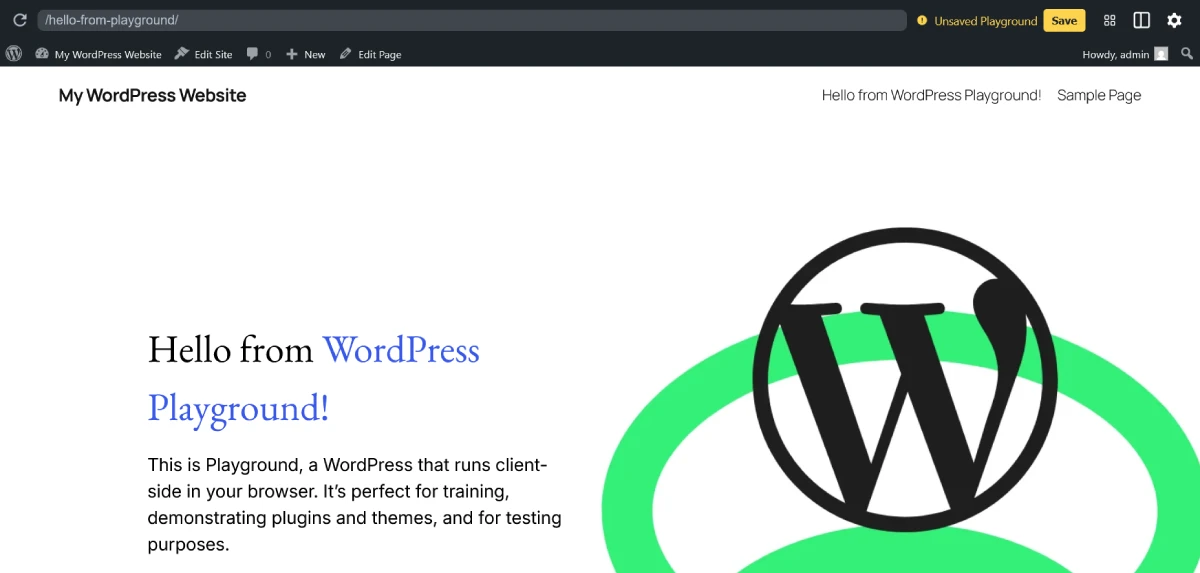
Within seconds, a working WordPress dashboard appears, just like a normal WordPress installation.
What You Can Do With WordPress Playground
Although it runs inside the browser, the environment is surprisingly powerful. You can perform many typical WordPress tasks, including:
1. Learn WordPress
Beginners can explore the dashboard, create posts and pages, and understand how WordPress works without worrying about breaking a real website.
2. Test plugins and themes
Developers and site owners can install plugins or switch themes to see how they behave before using them on a live website.
3. Experiment safely
Because the site runs locally in your browser, nothing you do affects any real website.
4. Practice website building
You can practice designing layouts, editing pages, and understanding the WordPress block editor.
How WordPress Playground Works
WordPress Playground runs WordPress using a technology called WebAssembly, which allows complex software to run directly inside a web browser.
Instead of relying on a traditional web server with PHP and MySQL, the environment simulates these components in the browser.
This is why the site can launch instantly without requiring hosting.
Limitations of WordPress Playground
While WordPress Playground is very useful, it is not intended to replace real hosting.
There are several limitations to keep in mind.
Temporary environment
The site runs locally in your browser, so your changes may disappear when the session ends.
Not publicly accessible
You cannot publish the website online directly from the playground.
Limited storage
Because everything runs in the browser, storage capacity is limited.
Not suitable for production websites
If you want to launch a real website, you still need proper hosting and a domain name.
When Should You Use WordPress Playground?
WordPress Playground is particularly useful in situations like these:
- Learning WordPress for the first time
- Testing a plugin before installing it on your site
- Trying a new theme design
- Experimenting with the block editor
- Practicing WordPress features safely
For beginners who are curious about WordPress but not ready to buy hosting yet, this tool provides a simple way to get started.
If you want to launch a real site, you’ll still need hosting. Here’s a step-by-step guide on how to start a WordPress website.
WordPress Playground: An Easy Way to Try WordPress Without Hosting
WordPress Playground makes it easier than ever to experiment with WordPress. Instead of setting up hosting and installing software, you can open a browser and start building a WordPress site instantly.
While it isn’t meant for launching real websites, it’s a powerful learning and testing tool for both beginners and experienced users.
If you want to see how WordPress works, WordPress Playground is one of the easiest ways to try it.
For beginners who want to explore WordPress before purchasing hosting or a domain, WordPress Playground provides a simple starting point. You can quickly access the WordPress dashboard, try themes or plugins, and understand how a WordPress website works — all directly from your browser.

