
Google Images is a search surface people underinvest in, and I get it — it’s not where most conversions happen, so it’s easy to deprioritize. But for certain content types (recipes, tutorials, product photography, infographics), it’s a meaningful discovery channel, and the optimization work overlaps almost entirely with things you should already be doing for regular SEO. Here’s what specifically affects Google Images visibility, beyond the basics of file names and alt text covered elsewhere.
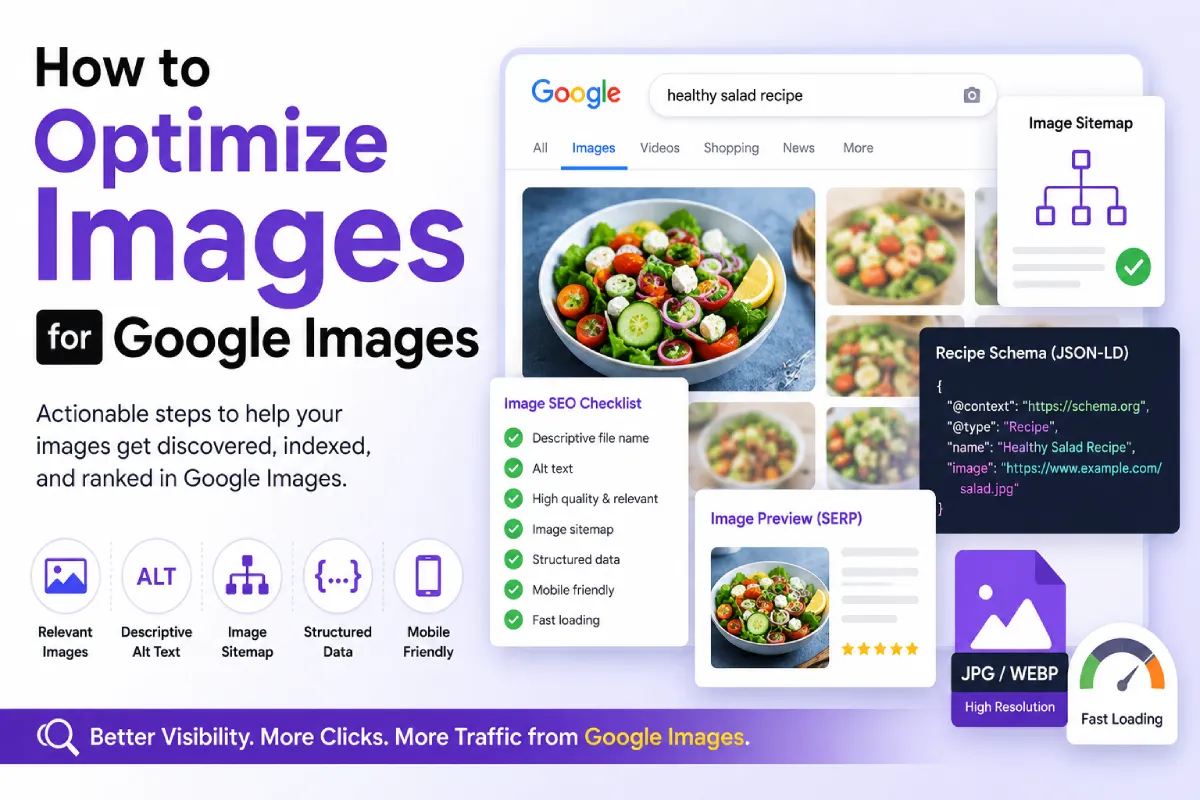
- Image relevance to page content
- Surrounding text context
- Image quality and resolution
- Page authority and SEO signals
- Structured data (where applicable)
- Image accessibility (alt text, crawlability)
Get the Fundamentals Right First
Before anything Google-Images-specific: descriptive file names, real alt text, and reasonable compression all still apply. If you haven’t covered those, start with the WordPress Image SEO Checklist — everything below builds on top of that foundation, it doesn’t replace it.
Make Sure Images Are in Your Sitemap
Most WordPress SEO plugins, Rank Math included, generate an image sitemap automatically alongside your regular XML sitemap. It’s worth confirming this is actually enabled and that Google Search Console shows it being processed without errors — I’ve found sites where a theme or page builder was lazy-loading images in a way that prevented the sitemap generator from picking them up correctly. Improper lazy loading can prevent Google from discovering images if they are not present in the initial HTML or correctly handled with loading=”lazy”.
Use High-Resolution, Genuinely Relevant Images
Google favors images that are large enough to be useful when clicked through to full size, and that are genuinely relevant to the page they sit on — not stock photos loosely associated with the topic. An image that’s clearly connected to specific, substantive page content performs better in Google Images than a generic decorative one, because the surrounding text gives Google stronger context to match against search queries.
Images that are visually distinct (clear subject, good contrast, readable composition) tend to get higher click-through rates in Google Images, even when rankings are similar.
Add Structured Data Where It Applies
For certain content types, structured data directly affects how (and whether) your images show up in Google Images or related rich results:
- Recipes: Recipe schema with an image property is close to mandatory for competitive visibility in food-related image search.
- Products: Product schema with images helps surface in Google Images shopping-related results.
- Articles: Article schema’s image property helps Google associate a specific image as the representative one for a piece of content.
If you’re already using Rank Math’s schema features or my free Schema Markup Generator, check that the image property is populated correctly rather than left blank or pointing to a generic placeholder.
Consider Licensable Image Metadata
Google supports IPTC metadata that marks an image as licensable, showing a “Licensable” badge in image search results along with licensing details. This matters most for photographers, stock contributors, and businesses that want to make clear their images aren’t free to reuse without permission. It’s a smaller-audience optimization, but worth knowing about if licensing is relevant to your content.
Don’t Bury Important Information Inside Images
Text embedded in an image (a quote graphic, an infographic with data points, a screenshot of text) is invisible to Google as text — it can only be inferred from alt text and surrounding context, never read directly the way HTML text is. If a data point or key detail matters for search visibility, put it in real text on the page as well as in the image.
Mobile Rendering Matters More Than People Expect
Google’s indexing is mobile-first, which extends to how it evaluates image placement and context. An image that renders awkwardly, gets cropped unexpectedly, or loads slowly on mobile can affect how Google evaluates the page overall, not just the image itself.
What Doesn’t Matter as Much as People Think
Image title attributes (the tooltip text) carry minimal weight, as covered in Image Titles vs Alt Text vs Captions. And keyword-stuffing file names or alt text doesn’t help beyond a certain point — Google has been explicit that this is treated as a spam signal, not an optimization technique. Image captions help reinforce context for both users and search engines, especially when they describe what the image demonstrates.
Frequently Asked Questions
Do I need an image sitemap plugin, or does my SEO plugin handle it?
Most full SEO plugins, including Rank Math, generate image sitemaps automatically as part of your regular XML sitemap. A separate dedicated plugin usually isn’t necessary unless you have an unusual setup.
How long does it take for images to show up in Google Images after publishing?
It varies, but generally follows the same timeline as regular page indexing — often days, sometimes longer depending on your site’s crawl frequency and the page’s overall authority.
Does image alt text length matter for Google Images?
There’s no fixed ideal length. Write enough to accurately describe the image; padding it out further doesn’t help, and stuffing it with keywords can hurt.
Can AI-generated images rank in Google Images?
Yes, Google doesn’t exclude AI-generated images from indexing based on origin alone, though the same relevance and quality factors that apply to any image still apply here.

